

Mouse cursor not reappearing after right-clicking to move the camera around until you hover over a targettable (item, foe, etc)

  • Pretty much title.


    It started to happen to me after Reforged launched and the only fix it is to reboot the game.


    Anyone else experiencing this ? anyone found a fix ? share please

    hints :

    - the bug can happen almost instantly or after hours of playtime

    - toolbox doesn't have an effect

    - controller plugged in PC doesn't have an effect

    - alt tabbing doesn't have an effect

    - swapping characters a bunch of times in a row seems to help A LOT to trigger the bug


    current status : bug still happens, i'm able to recreate very often with swapping characters acting as the trigger.


    still looking for more data

    IGN : Rip B B Enjoyer

    Edited 16 times, last by ripbb (February 16, 2026 at 11:30 AM).

  • I was experiencing this a few days ago, I have no idea what was causing it and I also have no idea what resolved it. I don't have a fix unfortunately but I just wanted to chime in and say that you're not crazy.

  • I was experiencing this a few days ago, I have no idea what was causing it and I also have no idea what resolved it. I don't have a fix unfortunately but I just wanted to chime in and say that you're not crazy.

    It hasn't happened to me in 2 days, are you confirming it's fixed for you ?

    also thanks for making me feel not crazy

    IGN : Rip B B Enjoyer

  • definitely keep the reports coming, the more data we can get on this the more chances we have of fixing it

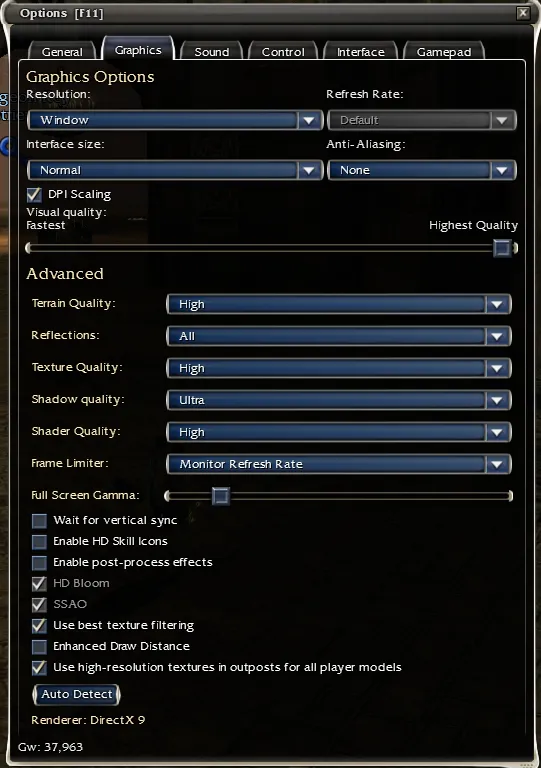
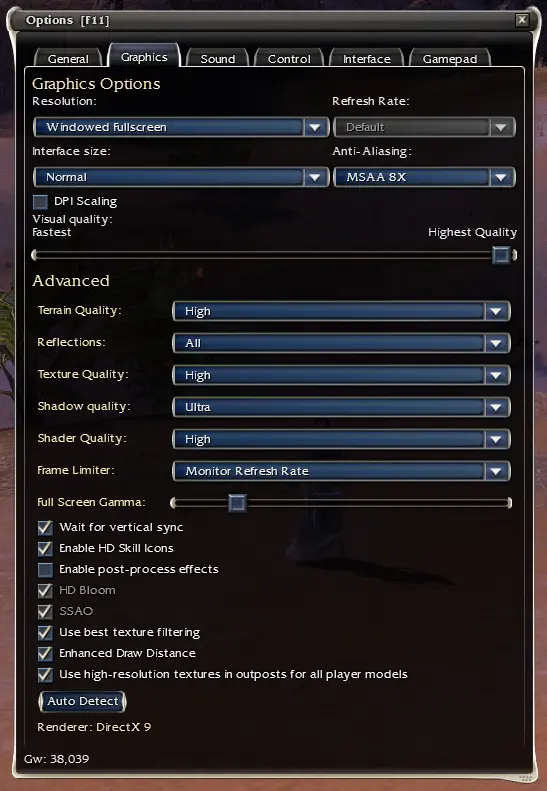
    a few infos that could be interesting to know : toolbox activated and screen resolution are as follow

    current status : bug just happened, rip

    IGN : Rip B B Enjoyer

    Edited once, last by ripbb (December 13, 2025 at 10:11 PM).

  • About 5 or 6 days ago, I was in Churrhir Fields to see Kormir. When I rotated the camera, my cursor snapped to the upper-right of my screen, very near the X icon, and was stuck there. It was flashing rapidly and was very faint. I could not drag it out. The location worked when I pressed ctrl. alt-tab did nothing. With effort I was able to drag it just far enough to X out of the game. It happened again a day later when I was in Fahranur retrieving tablets. Same results. I assumed it to be a problem with my mouse and perhaps it was.

    August Heyoka

  • About 5 or 6 days ago, I was in Churrhir Fields to see Kormir. When I rotated the camera, my cursor snapped to the upper-right of my screen, very near the X icon, and was stuck there. It was flashing rapidly and was very faint. I could not drag it out. The location worked when I pressed ctrl. alt-tab did nothing. With effort I was able to drag it just far enough to X out of the game. It happened again a day later when I was in Fahranur retrieving tablets. Same results. I assumed it to be a problem with my mouse and perhaps it was.

    It doesn't sound like the same bug as the one we are reporting about

    IGN : Rip B B Enjoyer

  • same happens to me, i didnt figure out what it triggered.

    sometimes 10 minutes after login, sometimes hours.

    i also have my mouse cursor flashing in and out of existence (couldnt figure out what that triggered and if theres any pattern behind) that happend during the keyboard bug but also without.

    im using fullscreen and i dont have anykind of controler plugged in.

  • Got the bug. cursor disappears after right clicking. it is still there though, just invisible. after wiggling a bit and hitting an other players name it appears again. restarting client fixes it temporarely ig

    welcome to the club you don't want to be a part of, first time it happens to you since Reforged ? anything that comes to mind that you changed on your end that might have triggered it ?

    IGN : Rip B B Enjoyer

  • I finally had this happen to me. Idk what caused it, i hadn't been swapping characters a lot or logged in long.

    It just randomly happened in a town between chest runs.

    I shut down gw and restarted to fix it.

    ꚛꚙꚛ Ouch My Assassin | Raise R Bladez ꚛꚙꚛ

  • Was doing a few prophecy vanquishes over the weekend , it was happening repeatedly after about 2 hours of play time. I noticed it would start every time I'd use my mouse to run (holding the right and left mouse buttons) between mob groups. I would have to click a skill or a foe to get it pop back up. Very annoying, but still got my runs done.

    ~Syn~

  • Still happening in April for me, frustrating stuff.

    Yep, it still is but I've stopped reporting in because 1 : I haven't found anything new worth mentioning and 2 : 2weeks clearly cares more about creating new bugs like triple mod weapons in their beta branch called pre-searing rather than fixing gamebreaking previous bugs like this one

    IGN : Rip B B Enjoyer

  • Still happening in April for me, frustrating stuff.

    Yep, it still is but I've stopped reporting in because 1 : I haven't found anything new worth mentioning and 2 : 2weeks clearly cares more about creating new bugs like triple mod weapons in their beta branch called pre-searing rather than fixing gamebreaking previous bugs like this one

    Only noticed it the last couple weeks myself. I really wonder what the trigger is.

  • Possible fix for the disappearing cursor in Guild Wars Reforged (Windows)

    I had an issue where the mouse cursor became invisible but still worked. Moving it over an NPC or another named object made it reappear, but it would disappear again afterward.

    Disabling Windows Fullscreen Optimizations for Guild Wars appears to have fixed it for me. I play in fullscreen at 1440p.

    Here’s how to try it:

    1. Close Guild Wars completely.
    2. Open your Guild Wars installation folder.
    3. Right-click Gw.exe and select Properties.
    4. Open the Compatibility tab.
    5. Check Disable fullscreen optimizations.
    6. Click Apply, then OK.
    7. Start Guild Wars again and test it.

    This only changes a Windows compatibility setting. It does not modify the game files or require any third-party software.

    So far, this has worked for me, but I can’t guarantee it will fix every case. If it doesn’t help, you can undo it by unchecking the same option.

    Edited once, last by DePauperGeneraal: Update.. it haunted me again today... I'm working on the gamefiles together with claude and codex (without editing it) to see if i van find the actual bug trigger.. Will update soon (October 15, 2026 at 3:23 PM).

  • Thanks for your input, I already checked this box awhile ago but I play windowed on a 1080p monitor, I will try fullscreen at 1440p just in case.


    Make sure to report back if unfortunately this bug comes back to haunt you.

    IGN : Rip B B Enjoyer