

My hero bars are "gone"..... Anyone knows how to fix? I alrdy tried everything from making the icons bigger to try and drag it, in interface also not possible... QQ
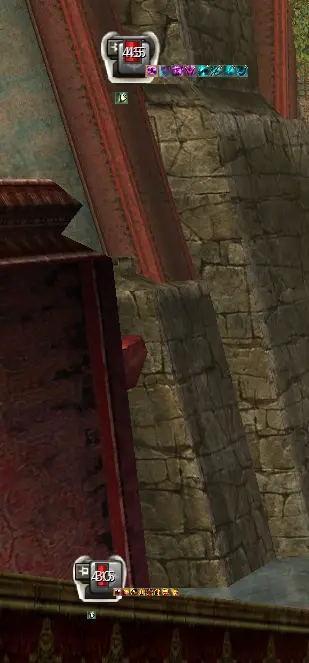

My hero bars are "gone"..... Anyone knows how to fix? I alrdy tried everything from making the icons bigger to try and drag it, in interface also not possible... QQ
Mine are the same as they have always been. Did you re size them inadvertently
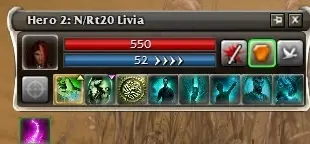
Have it sometimes with toolbox. Restart game and toolbox
Even after restarting toolbox, the game and pc it still didnt fix it.
And no, I have only moved the hero builds around, and there is no way to size them yourself so I dont know what went wrong 
I fixed it... kind of. I think I only made it worse now QQ
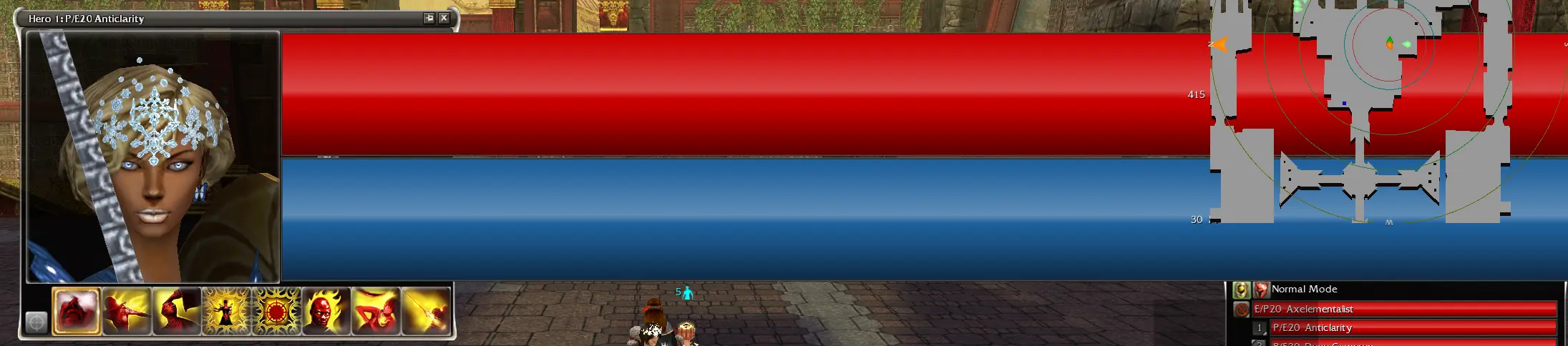
I fixed it... kind of. I think I only made it worse now QQ
To clarify my "haha" reaction, i am both sorry for your in-game experience, but had to lol seeing that screenshot.
I fixed it... kind of. I think I only made it worse now QQ
To clarify my "haha" reaction, i am both sorry for your in-game experience, but had to lol seeing that screenshot.
No worries, I am having mixed feelings myself about this… it sucks cuz I always play with hero bars open, but at the same time it looks like my only option is 1% or 200% 🤣🥸
To clarify my "haha" reaction, i am both sorry for your in-game experience, but had to lol seeing that screenshot.
No worries, I am having mixed feelings myself about this… it sucks cuz I always play with hero bars open, but at the same time it looks like my only option is 1% or 200% 🤣🥸
ANet decided to gift you with the experience of an oversized headshot of those prettily dressed mercenaries you spent so much time on. 😆
I went into nostalgia mode today and it messed my whole feng shui up... build scattered, health and energy bars scattered across the screen. no immediate help sent. RIP
As far as I'm aware the reports of this are only related to GWToolbox not the game itself.
I think there have been some Toolbox updates since this was reported so I suggest to make sure your Toolbox launcher and dll are up to date.
Moved the thread as it is related to Toolbox not GW directly.
Somehow it only does it for me when I run the game throuw GWLauncher. Running it normally and manually launching toolbox seems to make it work fine